What Is a Bas-Relief Depth Map? Definition, Examples & AI Generator (2026)
A bas-relief is a shallow carving. This guide defines it, then shows the lion sample: one uploaded photo, a server depth estimate, a 16-bit PNG, and a closed STL.
Last updated: 2026-11-10
Pronunciation: /ˌbɑːrɪˈliːf/ · bah-ree-LEEF · from the French bas-relief ("low raised"), originally the Italian basso-rilievo.
A bas-relief (also written basso-relievo or low relief) is a sculptural technique in which the raised figures project only slightly from a flat background — typically less than half the implied depth of the subject. Historically carved into marble, limestone, bronze, or hardwood by hand, bas-reliefs are now generated digitally from a photograph as a grayscale depth map, which a laser engraver, CNC router, or 3D printer turns into physical relief. On Depth-Map.com the photograph is uploaded once, a server model estimates depth, and the thickness sliders stay in the browser. The download is a 16-bit PNG or a closed STL.
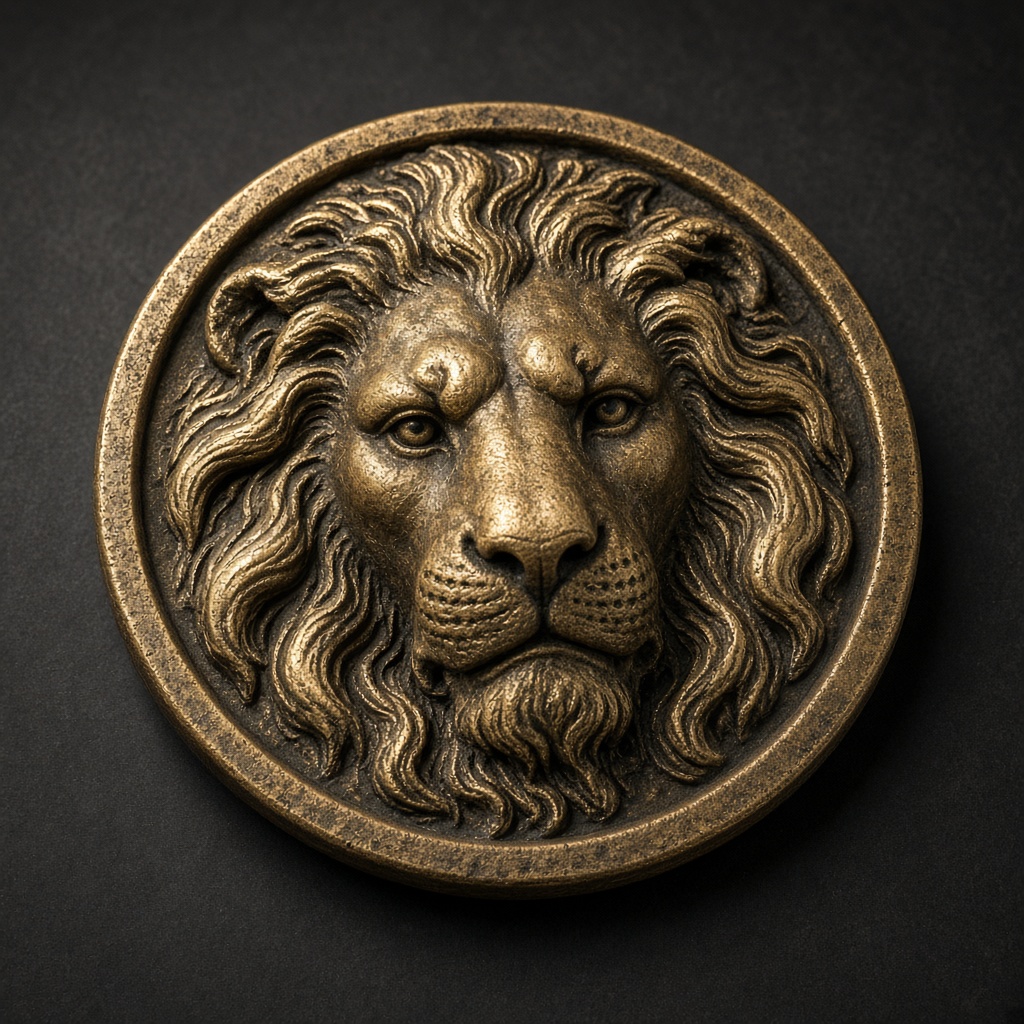
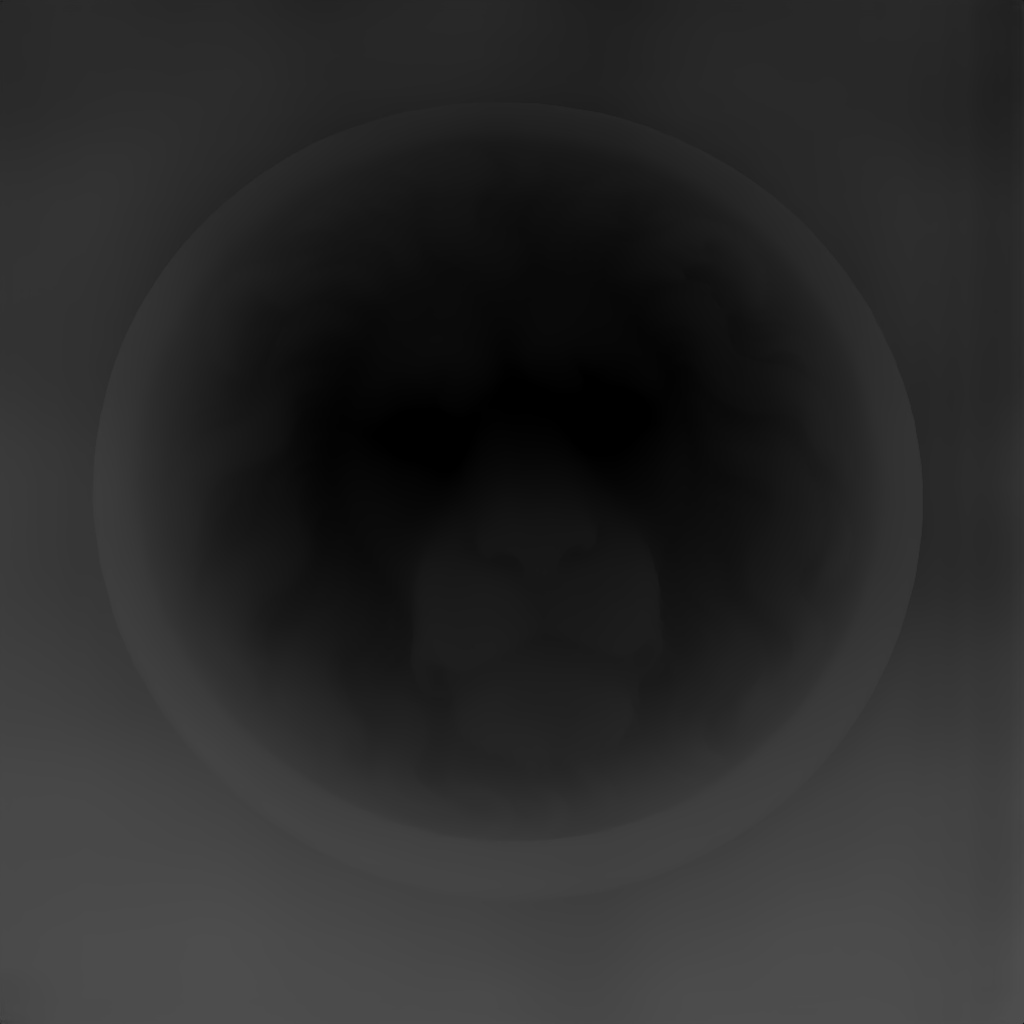
The lion is the sample on this site: 16-bit PNG at 3 mm and STL. The PNG’s brightest value is 19661 because 65535 means 10 mm, not “this relief is only 8-bit.”
The three types of relief
Not every carving that stands proud of its background is a bas-relief. Sculpture historians distinguish three classical types, and each maps to a different digital depth-map depth range:
| Type | Projection | Digital depth range (mm) | Example | |---|---|---|---| | High relief (alto-rilievo) | More than half the subject's implied depth; figures may partly detach from the background | 5 – 20+ mm | Parthenon frieze (Athens), Trajan's Column (Rome) | | Bas-relief (basso-rilievo, low relief) | Less than half the implied depth; figures remain fully attached | 0.5 – 5 mm | Ghiberti's Gates of Paradise (Florence), US challenge coins, modern lithophanes | | Sunken relief (cavo-rilievo, incised relief) | Figures carved below the background plane | –0.5 to –5 mm | Egyptian hieroglyphs on temple walls |
For most modern makers — laser engravers, CNC routers, 3D printer owners — bas-relief is the practical sweet spot: deep enough to read as 3D, shallow enough that a laser can finish a coin in under 30 minutes or a CNC can carve a plaque without specialized ball-nose end mills.
A brief history
Bas-relief is one of the oldest sculptural forms in human culture. Mesopotamian cylinder seals (c. 3500 BCE) used sunken relief to roll miniature narratives onto clay. Egyptian tomb builders carved both sunken and low relief into sandstone and limestone. Greek stonecarvers pushed the technique onto architectural friezes.
Three Renaissance names anchor the modern understanding of the form:
- Lorenzo Ghiberti (1378 – 1455) — The gilded bronze panels of the Porta del Paradiso (Gates of Paradise) at the Florence Baptistery remain the benchmark for pictorial bas-relief. Ghiberti layered multiple tiers of depth into a single panel, creating the illusion of perspective in a surface barely 20 mm thick.
- Donatello (1386 – 1466) — Invented stiacciato ("squashed") relief, a sub-category of bas-relief where the projection shrinks to under 2 mm. His Feast of Herod panel (Siena) is a 1-mm-deep sculpture that reads as a full architectural scene.
- Luca della Robbia (1399 – 1482) — Translated bas-relief into glazed terracotta, proving the technique's reproducibility — a direct precursor to mould-cast and 3D-printed relief today.
The common ingredient across five thousand years of practice is a depth-indexed surface: brightness or carving depth encodes distance from a nominal plane. That is exactly what a modern depth map represents — pixel brightness as a continuous proxy for 3D height.
What is a depth map?
A depth map is a grayscale image where each pixel's brightness represents its distance from a reference viewpoint. By convention:
- White = closest to the camera (highest in the relief)
- Black = farthest from the camera (lowest in the relief, or the background plane)
- Every tone in between corresponds to a precise height
With an 8-bit PNG you get 256 distinct brightness levels — enough for a visual preview but not enough for laser engraving: the discrete steps burn as visible topography lines (horizontal step contours) across a brass or stainless workpiece. With a 16-bit PNG, you get 65,536 levels — functionally continuous, no steps, clean relief.
Every modern bas-relief workflow starts with a depth map. Downstream, that map becomes an STL or a laser image. This site does not write a LightBurn project file.
The AI depth-map workflow (2026)
The current workflow on this site is four steps. The depth model runs on a server. It is a metric Depth Anything 3 model, and it returns one 16-bit field per photograph.
The modern four-step workflow:
Step 1 — Source image
Any photograph works best when the subject is clear: portraits, pets, a single object, challenge-coin artwork. PNG, JPEG, and WebP up to 8 MB.
Step 2 — AI depth estimation
Generate uploads the photograph once. The reply is a 16-bit grayscale PNG plus the near and far distances in metres. There is one model size. Small, base, and large are not separate switches here. Later slider moves do not upload the photo again.
Step 3 — Depth map export
The raw model output is a tensor of floating-point depth values. Two decisions shape the exported file:
- Bit depth — the fabrication file is 16-bit grayscale. A 3 mm relief is stored on a 10 mm scale, so its peak is 19661 rather than 65535.
- Depth range — the depth slider sets that millimetre height. White in the preview is tall. Invert swaps near and far for a lithophane.
For 3D printing or CNC toolpaths, the depth map is converted into a closed manifold STL mesh — a sealed solid with a flat base and side walls, slice-ready without repair in Bambu Studio, PrusaSlicer, Cura, or Lychee.
Step 4 — Fabrication
The same 16-bit depth map drives multiple downstream processes:
- Fiber laser engraving (brass, silver, stainless, aluminum) — Imported into LightBurn's 3D Sliced mode, with parameters (passes, kHz frequency, DPI, power %) tuned per material. Suitable for challenge coins, trophy plates, inlay panels.
- CO₂ laser engraving (wood, acrylic, leather, stone) — Carveco or LightBurn 3D, slower per pass but deeper.
- CNC bas-relief machining — Depth map converted to 3D toolpath in Carveco, ArtCAM, VCarve Pro, or Fusion 360 CAM. Ball-nose or tapered end mills carve from the top down, roughed then finished.
- FDM / resin 3D printing — STL file sliced normally. Lithophanes (translucent bas-reliefs backlit by light) print at 0.08 mm layer height for best results; solid bas-reliefs tolerate 0.2 mm.
When not to use a bas-relief depth map
Depth maps have limits honest practitioners should name:
- Multi-perspective scenes don't survive. A depth map encodes distance from one camera position. A photograph with two faces at different angles will render both at their silhouette depth, not as separable 3D heads.
- Hair and fabric below a threshold disappear. Single-strand hair against a dark background may not register against sensor noise. Hats, scarves, or tied-back hair fare better.
- Transparent and reflective surfaces fool the model. Glass, polished metal, and water reflections produce depth artefacts; retouch the source image or paint mask the area.
- Text under 4-point equivalent can't survive 0.5 mm engraving. Below that physical scale, kerning gaps fall under the laser's spot-size threshold.
For these edge cases, traditional stiacciato relief carving — a Donatello-style manual craft — still beats the AI. For every other case, the digital workflow is between 10 and 100 times faster.
Compared to older tools
Pre-AI depth maps were often hand-graded. SculptOK Ultimate is listed at $75 a month and runs on a server. Depth-R Starter is listed at $26.90 a month and also uploads the image. This site’s Pro plan is $19 a month. Generate is one server request. The 16-bit PNG and the STL are then built in the browser from that field. There is no claim here that every other tool is 8-bit.
FAQ
Is bas-relief the same as a 3D print? A 3D print is a full-volume object. A bas-relief is a thin surface carving — technically a 3D object, but with most of its depth compressed to a few millimeters. The STL for a bas-relief is typically 10 – 50× smaller in file size than a free-standing 3D model.
Do I need an art background to make a good bas-relief? No. The modern AI depth-map workflow does the perspective and height estimation work that previously took sculptors a decade to internalize. Your creative choices concentrate on source-image selection, depth range, and material.
What's the cheapest tool for depth-map-based bas-relief? A free allowance and Pro at $19 a month. The depth estimate is a server request. The PNG and STL after that are local. A diode laser or an FDM printer is enough to make a first piece. The free-tier count on the homepage is still the older monthly wording until that page is rewritten.
Can I sell bas-reliefs I make with an AI depth-map tool? Studio is $49 a month and is the plan described for commercial use of the generated files. The source photograph still has to be yours or licensed. The depth model is a third-party service; this page does not restate its licence.
Related
- Image to STL Converter — turn any photo into a printable bas-relief STL
- 3D Challenge Coin Design Generator — bas-relief workflow tuned for brass and silver coins
- 16-bit vs 8-bit depth maps — the technical detail that decides whether your laser output has topography lines
- LightBurn 3D Sliced tutorial — fiber-laser parameter tables for brass, aluminum, stainless