Image to STL
Image to STL Converter — From Photo to 3D Relief
Upload the portrait. Depth is estimated on the server, then the 5 mm relief and 2 mm base are applied in the browser. The STL has a floor and four walls.
Closed mesh · 5 mm relief · 2 mm base · 40 mm long side
Image to STL Converter — From Photo to 3D Relief
Upload the portrait. Depth is estimated on the server, then the 5 mm relief and 2 mm base are applied in the browser. The STL has a floor and four walls.
Closed manifold STL for 3D printing — sealed base, slicer-ready for Bambu / Prusa / Cura.
Preview
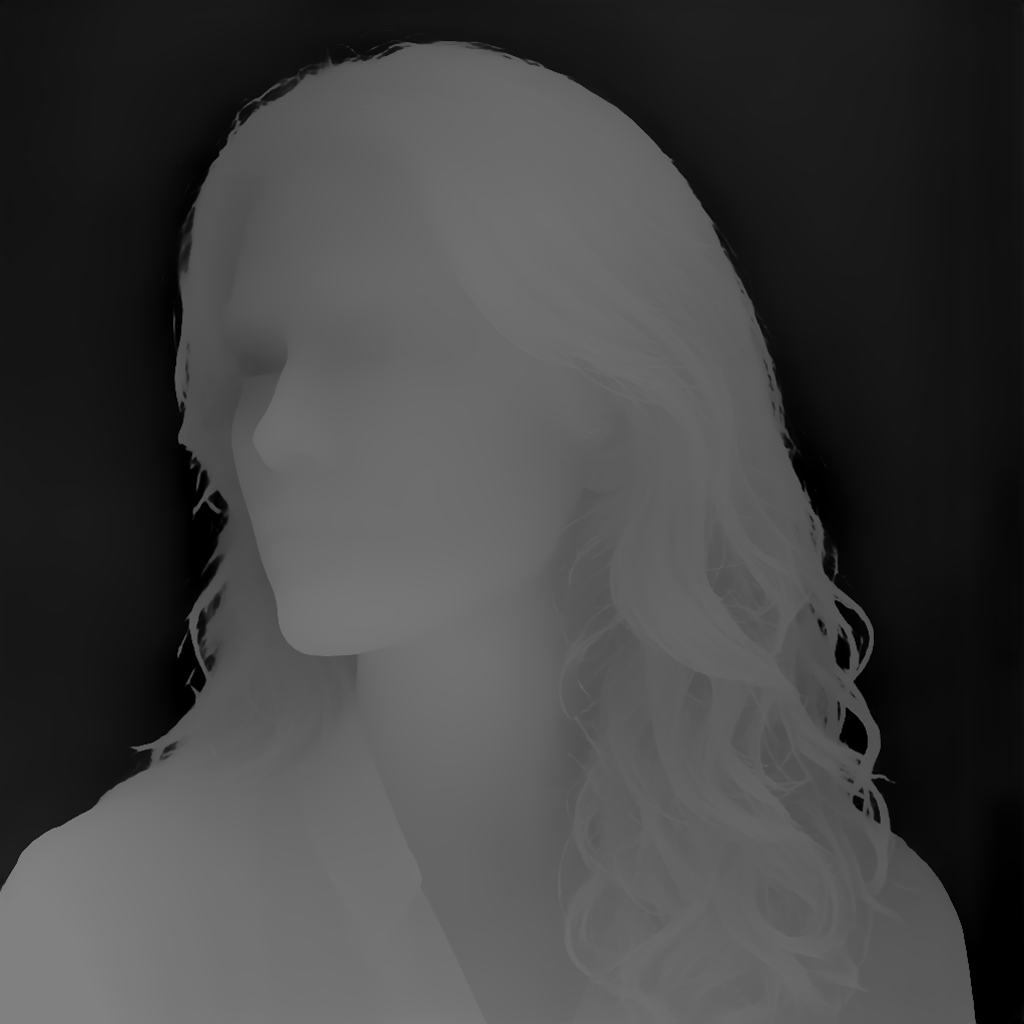
Portrait
Parameters
preset: STLLocal adjustments
Export
Sliders rewrite this result locally. PNG and STL match the preview.
This sample

Four steps
- 1
Upload
PNG, JPEG, or WebP up to 8 MB. The sample is already loaded.
- 2
Generate
One server request returns a 16-bit depth field. Further slider moves do not call the model again.
- 3
Set thickness
Max depth, base, and the long side change the mesh in millimetres. The long side starts at 40 mm.
- 4
Download
STL is a binary file with a sealed base. Open it in Bambu Studio, PrusaSlicer, or Cura.
Questions
A new photo is one upload.
Generate sends it once. Depth, invert, gamma, and crop then stay in the browser. The sample on this page is already a real file.